

Feature
A wedding guest list that does the counting
Keep your wedding guest list in one place: import a sheet, sort people into named lists, see who replied to each function, and download it for the caterer.
A wedding guest list usually lives in three spreadsheets and someone's memory. Here it is one list per celebration, shared with your co-hosts, and every RSVP lands on the right name.
How the guest list works
Add your guests
Type names in one by one, pick from your phone's contacts where your browser allows it, or import a sheet. Only the name is needed, and anyone already on your list is skipped.
Sort them into lists
Make named lists such as Bride's family or College friends. A private function can then be limited to the lists you choose.
Invite them
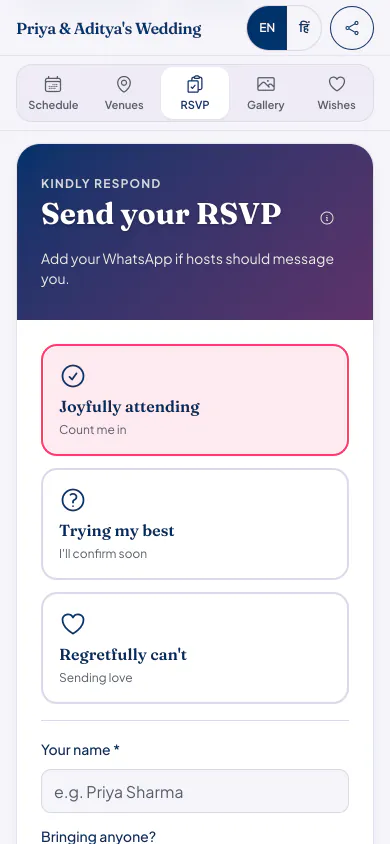
Send invites from our official WhatsApp number or by email, or share the link yourself. Guests reply on the page.
Follow the replies
Search any name, filter by reply, and see a headcount for each function. Download the list as a CSV file with a column for each function.
Good to know
- Import takes a CSV or text file. If your list is in Excel or Google Sheets, save or download it as CSV first. Columns can be in any order, with English or Hindi headings.
- If someone replies who is not on your list, they show up for you to add or dismiss, so nobody is left out of the count.
- Co-hosts, such as the other family or your planner, manage the same list with their own accounts.
- How many guests fit depends on your plan. Every plan has the same features.
Who it suits
Two families merging their lists, who need to spot the same uncle added twice.
Hosts with several functions, where the haldi list is not the reception list.
Anyone whose caterer keeps asking for a final number.
Guest list questions hosts ask
Can I import my guest list from Excel?
Yes, as a CSV file. In Excel use Save As and pick CSV; in Google Sheets use Download and pick CSV. Only the name column is needed, and the columns can be in any order.
Do guests see the guest list?
No. The guest list is for hosts and co-hosts. Guests see the celebration page, not who else was invited.
Can the other family add their guests?
Yes. Add them as a co-host, and they manage the same list from their own account.
Can I get the list out again?
Yes. Download it as a CSV file at any time, with a column for each function holding how many people each guest brings to it.
What it costs
Every plan has every feature on this page. Plans differ in how many guests and photos they fit. Prices are per celebration, in rupees.
Starter
Free first year
Up to 50 guests
then ₹499 for each extra year
Classic
₹14,999 one-time
Up to 400 guests
then ₹1,499 for each extra year
Grand
₹29,999 one-time
Unlimited guests (fair use)
then ₹2,999 for each extra year
Hosts can also run everything from the Android app. Get the app
Celebrations with long guest lists


Read next


Start your guest list
Your page can be live in minutes. Then share one link on WhatsApp.