

Guide
How to invite different guests to different functions
Not everyone is invited to the haldi. How to keep some wedding functions to close family and share the rest with everyone, on one invitation link.
Most Indian weddings have functions for everyone and functions for close family. The awkward part is telling them apart: a shared schedule invites everyone, and separate invitations mean separate groups, and more for you to keep up to date.
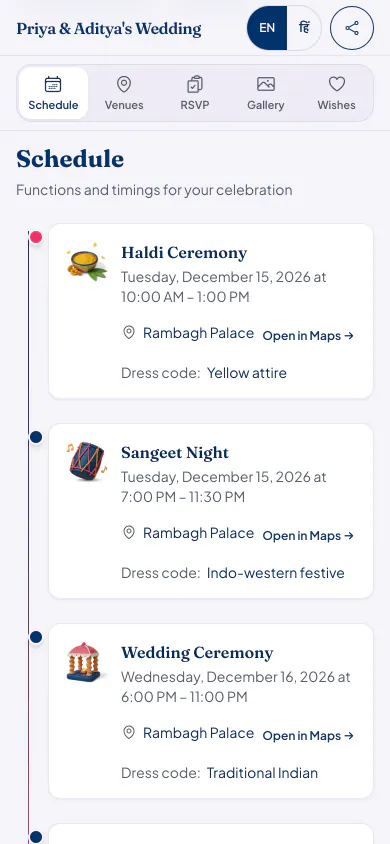
How to set it up
List who goes to what
Before you touch anything, write down which functions are for everyone and which are for a smaller circle.
Make named lists
On your guest list, create lists such as Close family or Bride's friends, and add the right people to each.
Mark functions private
Mark a function private and choose its lists. Guests on them sign in to see it, and it stays off the schedule for everyone else.
Share one link
Everyone gets the same link. Guests on a private function's list see it after they sign in with the phone number or email you saved for them.
Ways families handle this
Separate cards or groups
One link with private functions
- What guests get
- Separate cards or groups: A different card or group for each circle.
- One link with private functions: The same link, and the schedule that applies to them.
- When plans change
- Separate cards or groups: You update each card or group separately.
- One link with private functions: You edit the function once.
- Risk of a mix-up
- Separate cards or groups: A forwarded card shows a function to someone who was not invited to it.
- One link with private functions: A private function shows only to its lists, after they sign in.
- Effort for guests
- Separate cards or groups: None, but they may need to find the right card.
- One link with private functions: Guests on a private list need to sign in once to see it.
Good to know
- Save a phone number or email for everyone on a private list, because that is how they sign in. A guest with neither cannot see a private function.
- Venues used only by a private function stay hidden from other guests too.
- For a guest who may struggle to sign in, tell them the details on a call as well.
Who it suits
Families keeping the haldi or mehndi small, and the reception open to everyone.
Hosts with one function just for elders, or for one side of the family.
Anyone who has been asked 'why was I not told about the sangeet?'
Questions hosts ask
Can I invite some guests only to the reception?
Yes. Mark the functions for a smaller circle private and choose their lists; those guests sign in to see them. Everyone else sees only the open functions, such as the reception, on the same link.
Can guests see that there is a private function?
No. A private function stays off the schedule for anyone not on its lists. Guests on the list see it after they sign in.
Do I need a separate link for each function?
No. One celebration has one link. What each guest sees depends on the lists they are on, once they sign in.
What it costs
Every plan has every feature on this page. Plans differ in how many guests and photos they fit. Prices are per celebration, in rupees.
Starter
Free first year
Up to 50 guests
then ₹499 for each extra year
Classic
₹14,999 one-time
Up to 400 guests
then ₹1,499 for each extra year
Grand
₹29,999 one-time
Unlimited guests (fair use)
then ₹2,999 for each extra year
Hosts can also run everything from the Android app. Get the app
Functions families often keep small


Read next


Set up your functions and lists
Your page can be live in minutes. Then share one link on WhatsApp.